
A safer contact cleaner for Android
Clean duplicates.
Keep an undo button.
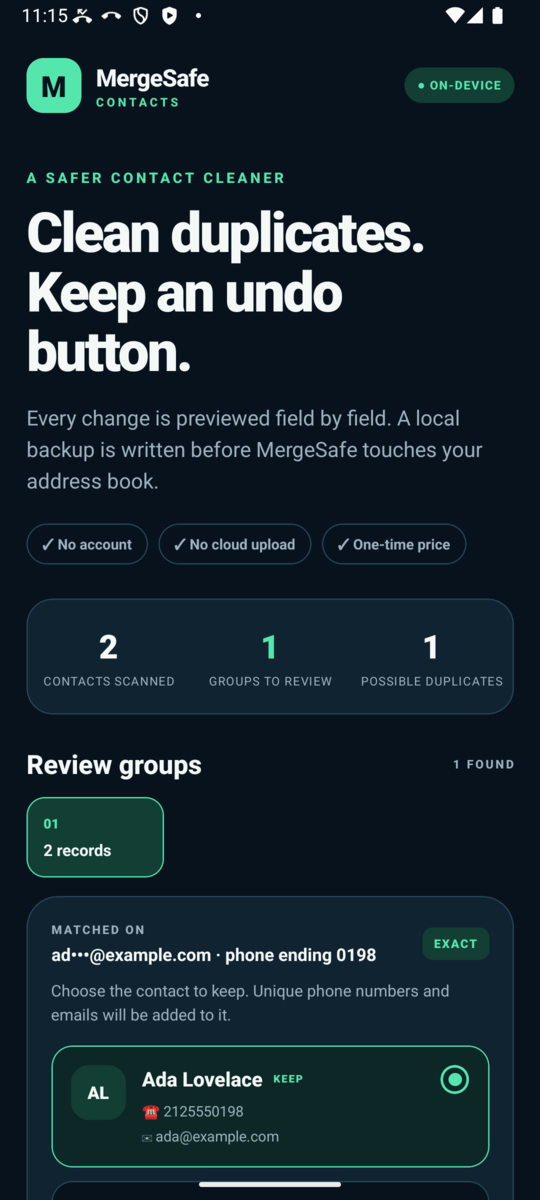
MergeSafe finds contacts that share an exact phone number or email address, then lets you review the records side by side before anything changes. A local backup is written before MergeSafe touches your address book.
How it works
Three steps, nothing hidden
Scan
MergeSafe reads your address book on the device and groups contacts that share an exact normalized phone number or an exact email address. Names alone never create a match.
Review
Choose exactly which contact stays. See the phone numbers and emails that will be added to it. Conflicting names and organizations are shown, never silently overwritten.
Merge, with a backup
Before any change, a backup of every affected contact is written to private app storage. If that write fails, the merge never starts. The latest completed merge can be restored from inside the app.
Safety first
Built to refuse risky merges
Most contact cleaners guess. MergeSafe would rather do a smaller clean-up than a wrong one.
Exact matches only
Two contacts are grouped only when they share an exact phone number or email. Similar-looking names are never enough.
The kept contact is never rewritten
Merging only adds phone numbers and emails the kept contact is missing. Every other field stays exactly as it was.
Backup before mutation
The backup includes the exact native record of every affected contact, so a restore recreates what was removed rather than an approximation.
Re-checked at the moment of writing
Every change re-reads and revalidates the contact immediately before writing and verifies the result afterward. Stale data is rejected.
Protected records are left alone
Linked, synced-account, grouped, read-only, and otherwise protected records block the whole group. They are never modified or removed.
Fails closed
If a merge or restore is interrupted and the outcome is ambiguous, MergeSafe pauses, tells you exactly why, and lets you export a recovery report instead of guessing.
Private by design
Your contacts stay on your phone
MergeSafe has no account, no server, no advertising, and no behavioral analytics. Contact names, numbers, and emails are processed on the device and are never uploaded automatically.
The only way data leaves the device is if you explicitly export a recovery report through the Android share sheet after a paused restore. You choose the destination. MergeSafe never picks one for you.
Purchases are handled by Google Play. MergeSafe learns whether you own the unlock and nothing about your payment card.
Pricing
Try the scan for free
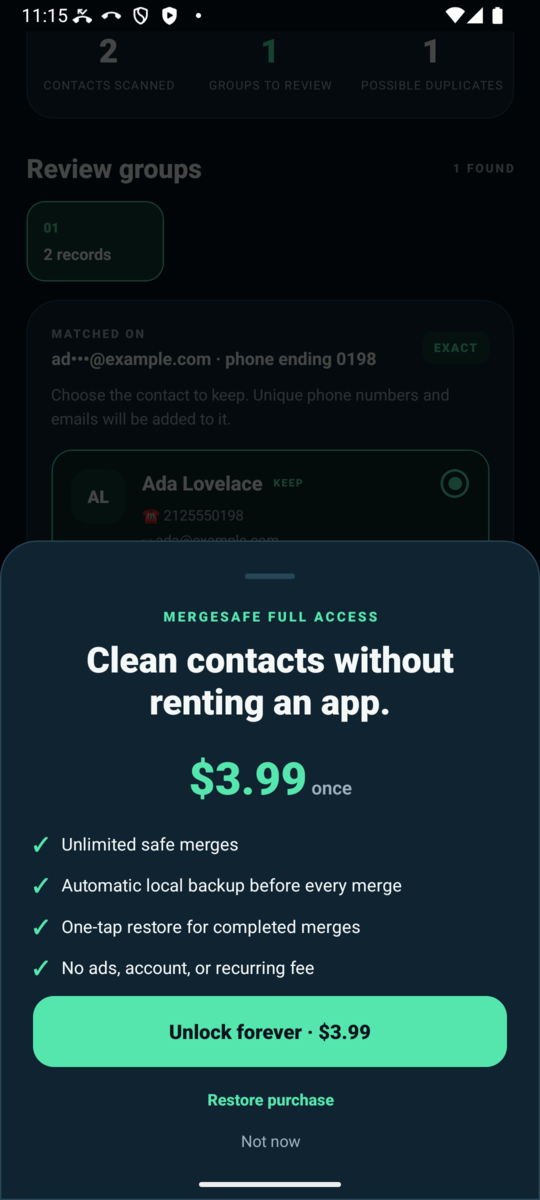
Scanning and field-by-field previews are free. MergeSafe Full Access unlocks unlimited safe merges and restore, forever.
Support
Questions or a paused restore?
Email support@kmftech.app. If MergeSafe paused a restore, the exact reason is shown in the app. You can export a recovery report from there and attach it if you want us to look. Nothing is sent unless you choose to send it.